
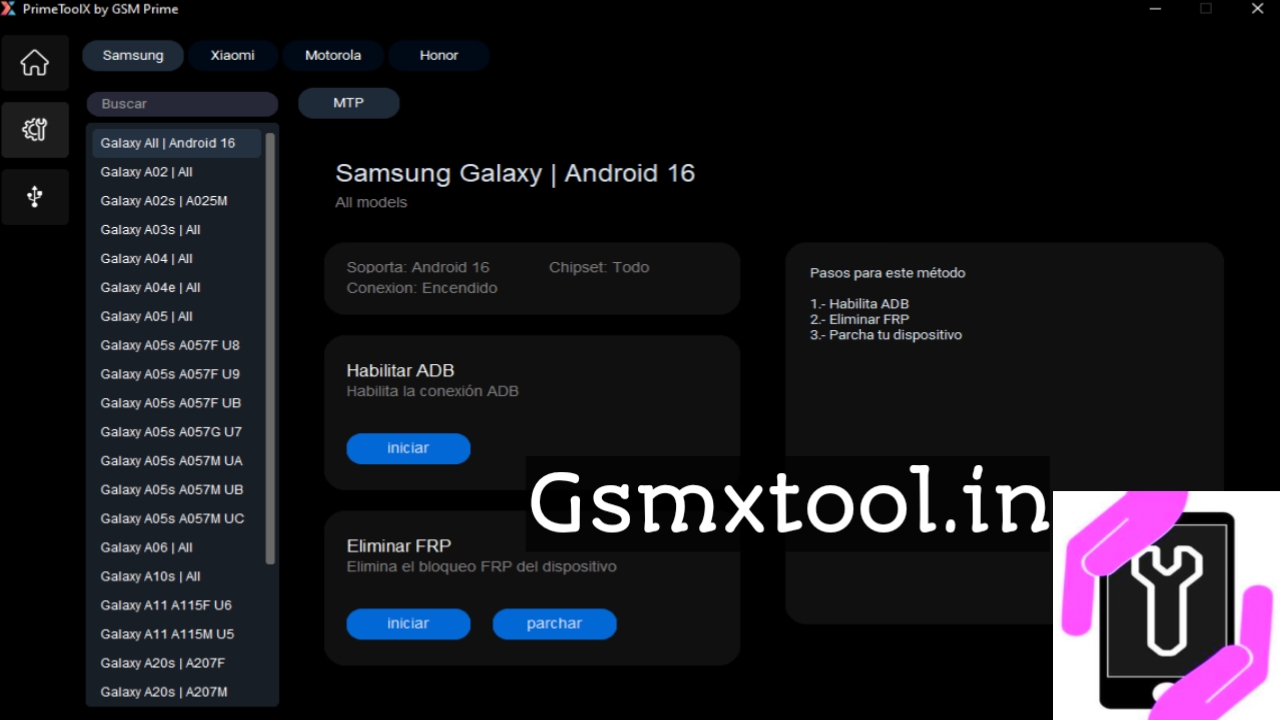
PrimeTool X 8.7 is a free Windows software utility widely used by mobile repair professionals for FRP unlocking, driver installation, and device repair tasks — especially for Android phones such as Samsung and Xiaomi. It includes necessary drivers and connection tools, making it simpler to detect and work with devices in special modes like Preloader / BROM.
🛠 Key Features of PrimeTool X 8.7
Here’s what makes PrimeTool X 8.7 popular among GSM repair technicians:
✅ FRP Removal Support
The tool supports Factory Reset Protection (FRP) removal for many Samsung and Xiaomi devices. It’s especially useful when you need to bypass the FRP lock so the phone can be set up normally after a reset.
✅ Preloader & BROM Mode
PrimeTool X works with phones in Preloader mode (for MediaTek) and BROM mode (for Qualcomm), which are essential for deep-level detection and unlocking on devices that won’t enter recovery or fastboot normally.
✅ No Need for Zadig on New Qualcomm Models
With version 8.7, the tool simplifies Qualcomm connections — you can connect directly to the Qualcomm HS-USB QDLoader 9008 port without using Zadig (a driver-replacement utility previously needed).
✅ Modern User Interface
The GUI is designed to be simple and responsive, with a cleaner layout and easier navigation compared with older versions.
📌 What’s New in Version 8.7
PrimeTool X 8.7 builds on prior releases with the following improvements:
- Direct Qualcomm support without extra driver tools.
- New device support and updated model lists.
- Improved FRP removal for Android 16 on Samsung devices.
- Lightweight and faster performance.
These updates make it easier and more reliable for technicians to unlock and service the latest phones released up to 2026.
📥 Download & Installation (General Guide)
Important: Always download software tools from trusted sources to avoid malware and corrupted files.
Step-by-Step Download & Setup
- Download the Tool
Look for a verified download link from a trustworthy tech or mobile repair repository. Sites hosting the tool often have links such as OneDrive, MediaFire, or similar cloud files. - Extract the Files
Use WinRAR or 7-Zip to extract the downloaded archive. Make sure your antivirus scanner doesn’t block files incorrectly. - Install Drivers
Open PrimeTool X and go to the “Drivers” section. Install the included MediaTek and UsbDk drivers to ensure the tool can communicate with devices properly. - Connect Your Phone
Power off your device and connect it in the required mode (Preloader/BROM). The tool should detect the phone automatically. - Begin Repair or FRP Removal
Select your device and the module you want (e.g., FRP removal) and follow on-screen instructions.
📌 Why Technicians Use PrimeTool X
✔ One-Click FRP Removal – Eliminates lock screens when traditional methods fail.
✔ Driver Integration – No need to search for compatible drivers separately.
✔ Preloader & BROM Support
✔ Updated Model Support – Works with newer devices and Android versions.
⚠ Important Safety Notes
🔹 Always ensure you download software safely from reputable sites (avoid random mirrors).
🔹 Use the tool in conjunction with proper USB drivers installed through the program.
🔹 FRP removal and similar operations should be done with the owner’s permission and within legal boundaries.
🔹 Some phone models may have brand-specific protections that require additional steps beyond this utility.
Summary:
PrimeTool X 8.7 is a free Windows FRP unlock and mobile repair tool that includes essential drivers for MediaTek and Qualcomm devices. It’s widely used by technicians for FRP bypass, driver installation, and detection of phones in special service modes like Preloader and BROM. Its modern interface and direct driver integration make it a valuable part of a mobile repair toolkit in 2026.
If you want links to the official or safe download pages for PrimeTool X 8.7 with detailed steps to install it on Windows, let me know!