
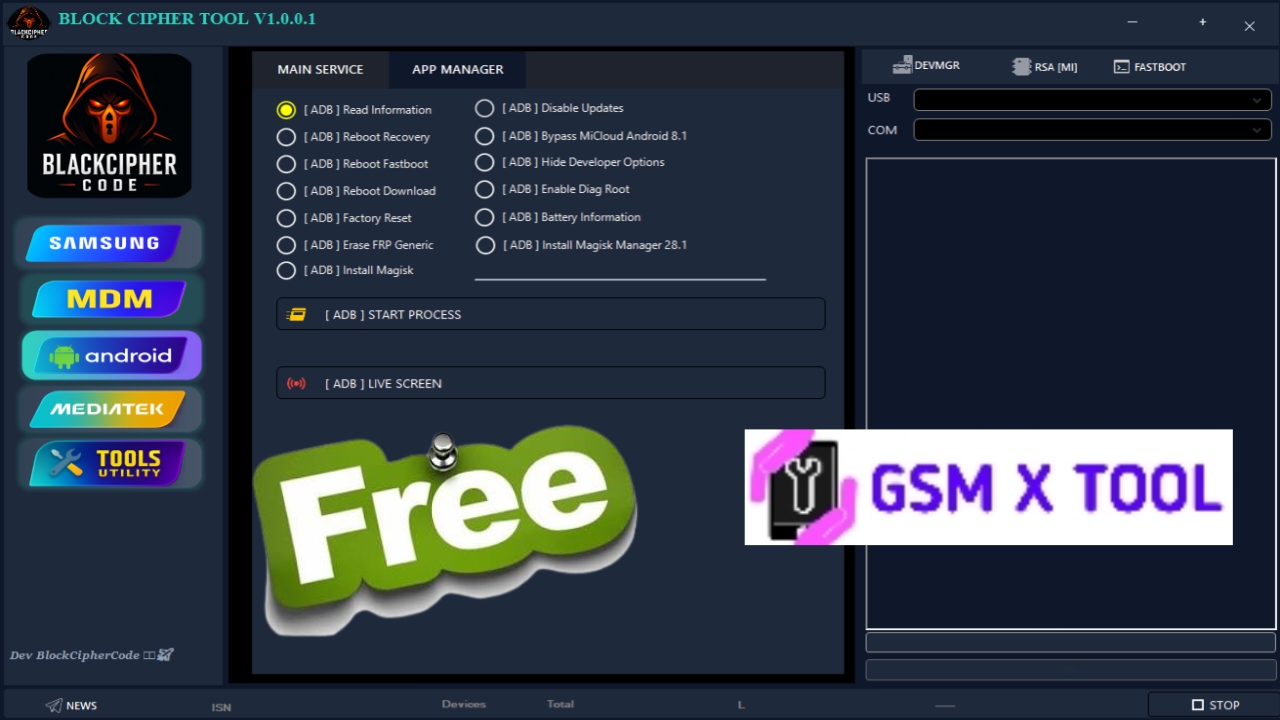
The demand for powerful, secure, and login-free Android servicing utilities continues to rise, especially among smartphone technicians and advanced users looking for fast operational workflows. Block Cipher Tool V1.0.0.1 has quickly positioned itself as one of the most reliable utilities in 2025, offering an exceptional blend of simplicity, capability, and performance. With its streamlined interface and extensive support for essential device repair functions, this tool delivers outstanding value to repair shops, FRP specialists, and mobile service professionals.
This comprehensive guide explores the full potential of Block Cipher Tool V1.0.0.1, helping users download, understand, and utilize the tool efficiently while ensuring maximum performance and compatibility across various smartphone platforms.
What Is Block Cipher Tool V1.0.0.1?
Block Cipher Tool V1.0.0.1 is a free Windows-based Android servicing tool designed for device diagnostics, fastboot communication, ADB management, and chipset-level interactions with MTK and Qualcomm devices. What sets this version apart is its no-login requirement, making it instantly usable after download without the need for activation, license keys, or online verification.
The tool excels in device-level communication, allowing professionals to carry out essential tasks like reading device information, rebooting modes, extracting logs, clearing bloatware, and interacting with fastboot partitions—all while maintaining a user-friendly experience.
Why Block Cipher Tool V1.0.0.1 Is a Top Tool in 2025
In today’s fast-paced mobile repair environment, technicians need tools that are fast, lightweight, and reliable. Block Cipher Tool V1.0.0.1 delivers all three, which has made it a preferred choice across many service hubs.
Key Reasons for Its Popularity Include:
- No Login or Account Required – Immediate access upon launching.
- Portable Utility – Runs directly without installation.
- High-Speed Device Detection – Works seamlessly with most Android models.
- Works on Low-End Systems – Optimized for older hardware and Windows versions.
- Premium-Level Functions Without Any Cost – Offers capabilities found in paid tools.
- Strong Chipset Support – Ensures compatibility with MediaTek and Qualcomm devices.
This makes it ideal for both beginner technicians and advanced mobile service experts.
Major Features of Block Cipher Tool V1.0.0.1
1. Advanced ADB Operations
The tool integrates a full suite of ADB-based functionalities, enabling users to manage connected Android devices at a system level.
Key abilities include:
- Reading complete device information
- Rebooting the device into system, recovery, or bootloader modes
- Logcat extraction for debugging and diagnostics
- Removing unwanted applications (debloating)
- Performing essential system commands with one click
These features make ADB extremely accessible even for new technicians.
2. Fastboot-Level Capabilities
Fastboot mode is essential for firmware recovery and partition management. Block Cipher Tool includes:
- Fastboot device detection
- Reading hardware-level details
- Reboot controls
- Flashing and erasing specific partitions
- Bootloader interaction options
This gives users a robust environment for device-level operations without needing multiple tools.
3. MTK Chipset Support
The software shines with its MediaTek (MTK) support, making it valuable for service centers working with brands heavily reliant on MTK processors.
Supports:
- Preloader communication
- Secure boot handling
- Reading device hardware info
- Diagnostic control
This includes popular devices from:
- Xiaomi
- Oppo
- Realme
- Vivo
- Tecno
- Infinix
- Itel
MTK support ensures this tool is widely applicable across global smartphone markets.
4. Qualcomm Device Interaction
While more limited than MTK, the tool provides essential Qualcomm support for:
- Fastboot interaction
- Device info reading
- Basic diagnostic functions
This makes Block Cipher Tool versatile enough for technicians managing diverse chipset requirements.
Supported Devices & Chipsets
Supported Chipsets
- MediaTek (MTK)
- Qualcomm (QCOM)
- Any Android device supporting Fastboot/ADB
Supported Brands
Block Cipher Tool V1.0.0.1 supports a wide list of smartphones including:
- Xiaomi / Redmi / Poco
- Oppo / Realme
- Vivo / IQOO
- Tecno / Infinix
- Motorola
- Lenovo
- Nokia
- Itel
- Samsung (limited ADB support)
This extensive brand coverage makes the tool ideal for multi-brand repair shops.
How to Download Block Cipher Tool V1.0.0.1 (Free, No Login Required)
This tool is available as a free download, distributed in a portable executable format. Since there is no login required, users can immediately launch and begin servicing devices.
Important guidelines before downloading:
- Always download from trusted sources
- Avoid downloading from unknown third-party mirrors
- Verify files with antivirus scanning
- Ensure USB debugging and drivers are properly configured before usage
This ensures both safety and optimum performance.
How to Use Block Cipher Tool V1.0.0.1
Using the tool is simple:
- Download and extract the tool.
- Run the executable file as Administrator.
- Connect your device via USB.
- Enable ADB or fastboot depending on your needs.
- Select the required function from the interface.
- Execute the operation and wait for the tool to display results.
The tool requires no configuration, making it extremely user-friendly.